 BestSubscribers
 Set Up the Stripe Webhook
Connect Stripe to BestSubscribers so it can track and attribute revenue back to your email subscribers.
Video Walkthrough
Step 1: Open the Stripe Webhooks page
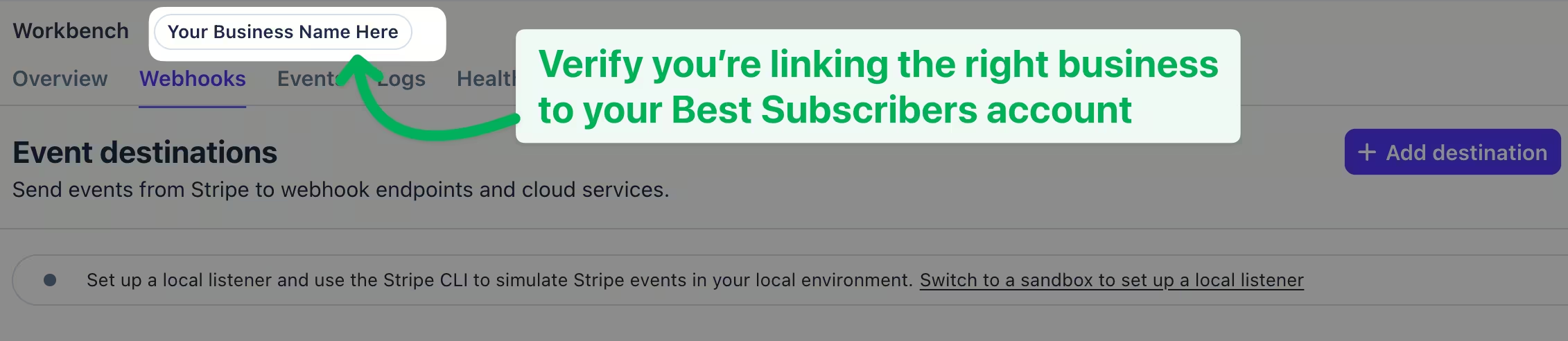
Go to dashboard.stripe.com/webhooks and click Add destination.

Heads up: If you have multiple businesses on your Stripe account, make sure you're on the correct one before continuing. If you need to connect multiple Stripe accounts to BestSubscribers, reach out to our support team.
Step 2: Select the events
Scroll down to the "Events" section.
Select All events and search for:
charge.succeeded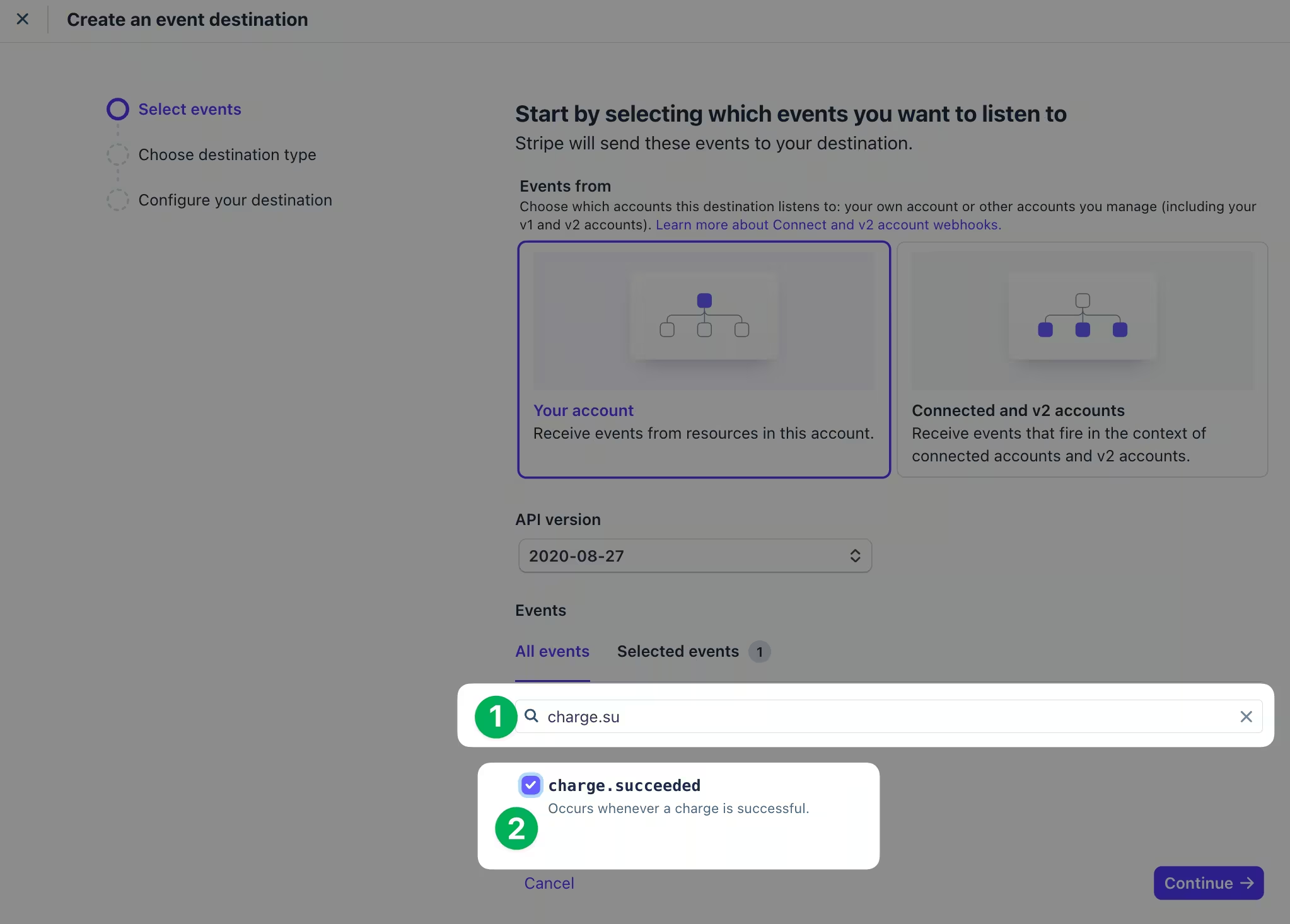
charge.refunded
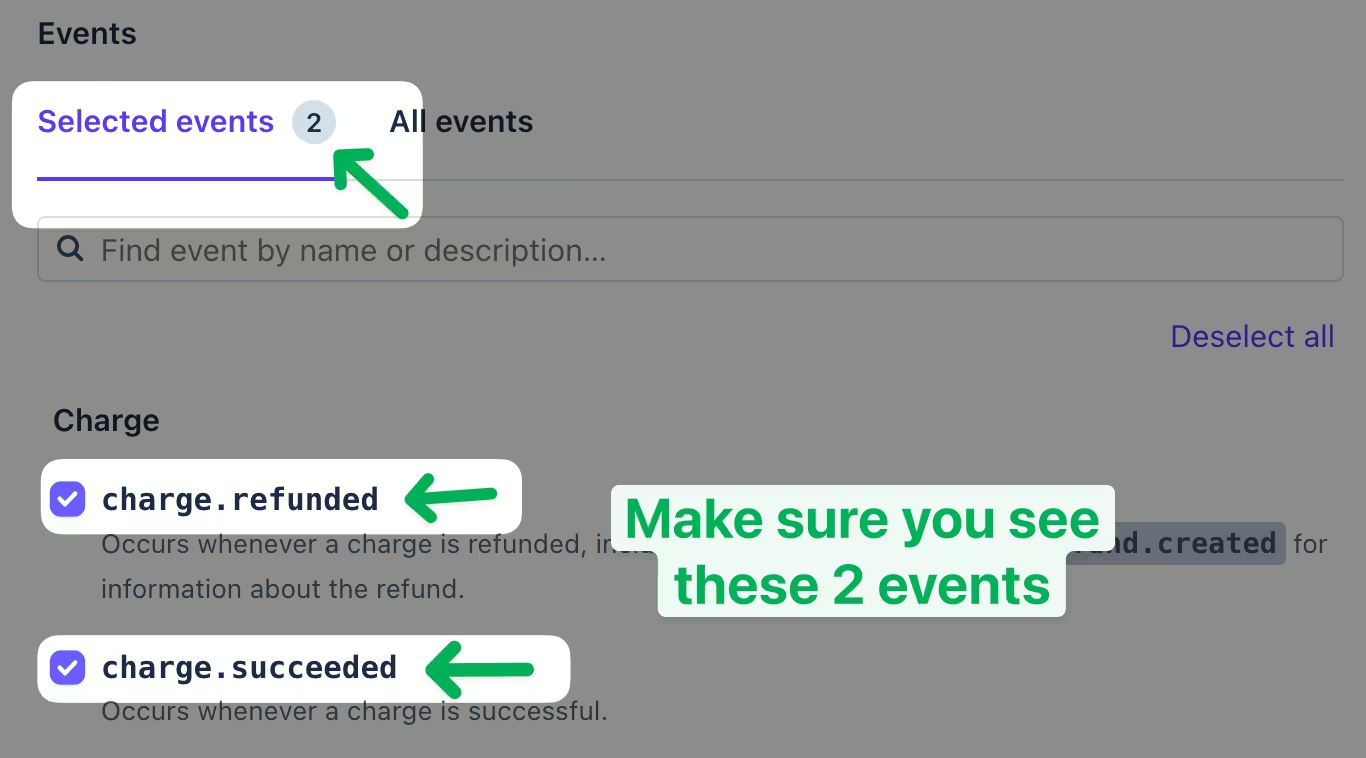
You should see 2 selected events. Click Continue.
Step 3: Configure the endpoint
- Select Webhook endpoint.
- Keep the default destination name or enter your own.
- In BestSubscribers, go to Settings → Integrations and copy the webhook endpoint URL.
- Paste the endpoint URL into the Endpoint URL field in Stripe.
- Click Create Destination.
That's it. Stripe will now send charge and refund events to BestSubscribers automatically.